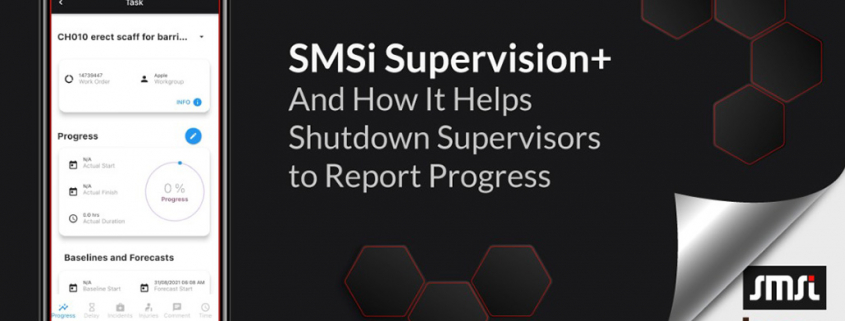
SMSi Supervision+ helps Shutdown Supervisors to Report Progress

Supervisors can now report shutdown progress any place any time reducing wait time so leaders know what’s happening on the ground sooner.

Challenge
Time-poor shutdown supervisors find it hard to step away from their tasks and head to the offices to report progress to Schedulers.

Nevertheless, shutdown leadership is waiting for all updates and insights to ensure the shutdown is on track without delays or schedule creep.

Solution
Progress updates are made easy as reporting is streamlined using SMSi Supervision+. The smartphone or tablet user-friendly interface gives Supervisor’s flexibility to add progress updates anywhere.  Real-time updates provide seamless and immediate reports for the shutdown leadership team.

For more information about how SMSi Supervision+ will work for you please head to our website.
Request a demo by sending us an email to enquiry@imms-wa.com.au
SMSi Supervision Plus APP Release

SMSi Supervision Plus is an addition to SMSi system. It brings all your shutdowns, turnarounds, and projects within the SMSi system into the palm of your hand.

Shutdown supervisors can use the App to update work progress, capture delays, register incidents, and add their comments.

The App helps supervisors to be more productive. They remain in the field and submit their updates via App. No need to walk or drive back to the office to provide updates anymore! No risk of losing data because it was written on a torn piece of paper!

Ultimately, STO Management gains further visibility and control over the execution of the shutdowns, turnarounds, or projects.

Here is what you will love about this App:

  • Access to all shutdowns, outages, and projects in your App
  • Go through the list of STOs to quickly select your shutdown
  • Go through your bucket of work, open your first job, and start updating progress
  • Select delays from a pull-down menu as they occur
  • Register any incidents or injuries as they occur in the field
  • Add notes and easily share them with your teams
  • It’s that simple! And now STO teams will have visibility over progress … thanks to you!